Skip to content
SaudaFlow

AI voice agent — arriving. See how it works →

Get a demo
Pricing
Sign inDownload the Android app

SaudaFlow is sold through a short call — we set up your workspace, your projects and your team with you. No card, no self-serve signup.

Mobile app

A real estate CRM mobile app that is the whole product.

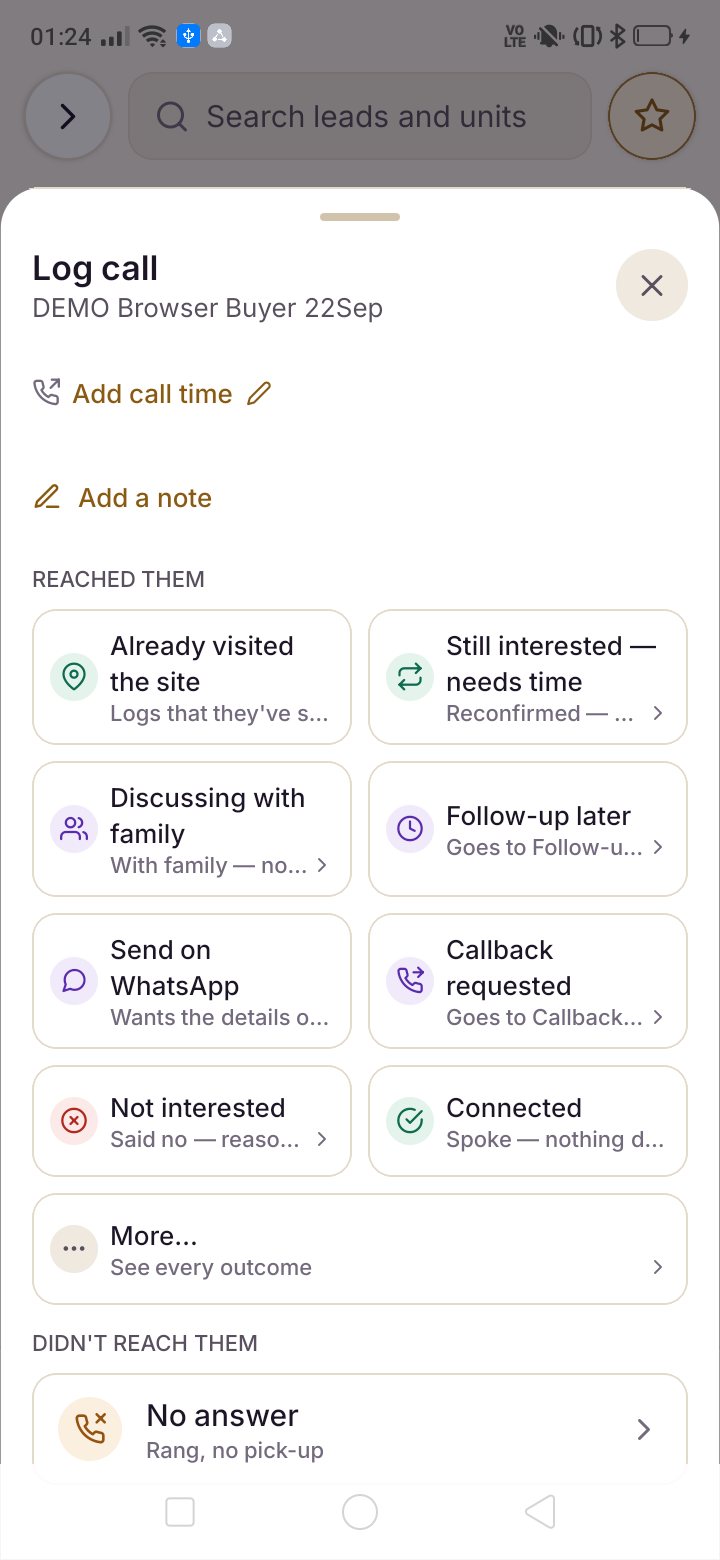
Property is not sold at a desk. It is sold at a gate in Panvel, in a sales gallery in Wakad, and in a car on the Eastern Express Highway with a buyer on speaker. So SaudaFlow's Android and iOS builds are not a companion app for viewing leads — 47 features run natively on the handset, including cost sheets, dashboards, attendance and the brokerage ledger, and the whole thing works with no signal at all.

A real 20-minute walkthrough with your own projects on screen. No card, no self-serve signup — we set the workspace up with you.

Calls, leads, site visits and cost sheets — all of it, on the handset.
Native features
47Native features
First, not as a fallback
OfflineFirst, not as a fallback
Cold start target
< 2.5sCold start target
Caller ID on Android
App-closedCaller ID on Android

What a broker's day looks like on the app

Four moments that would each be a laptop trip in most CRMs, and are each one tap here.

  1. 01

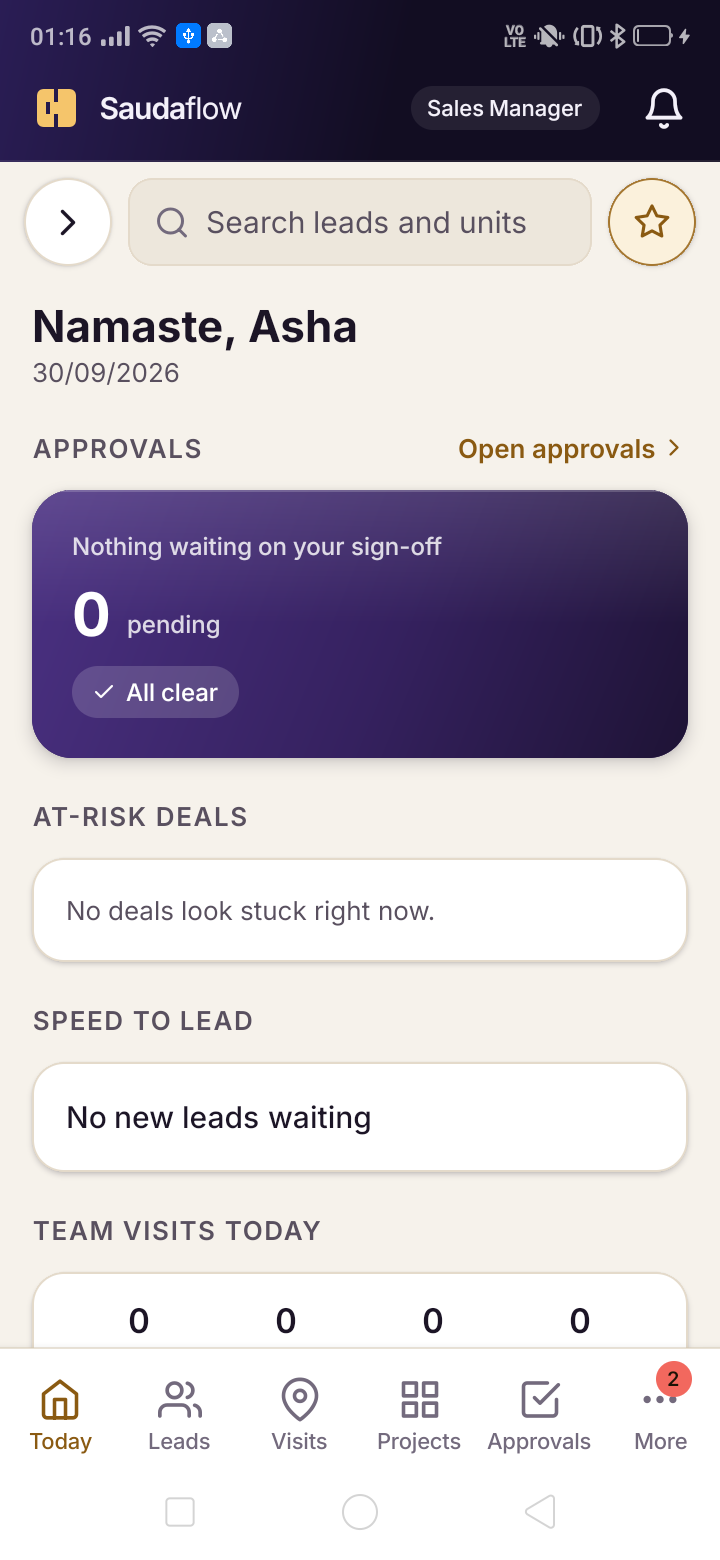
    Morning: the Today screen

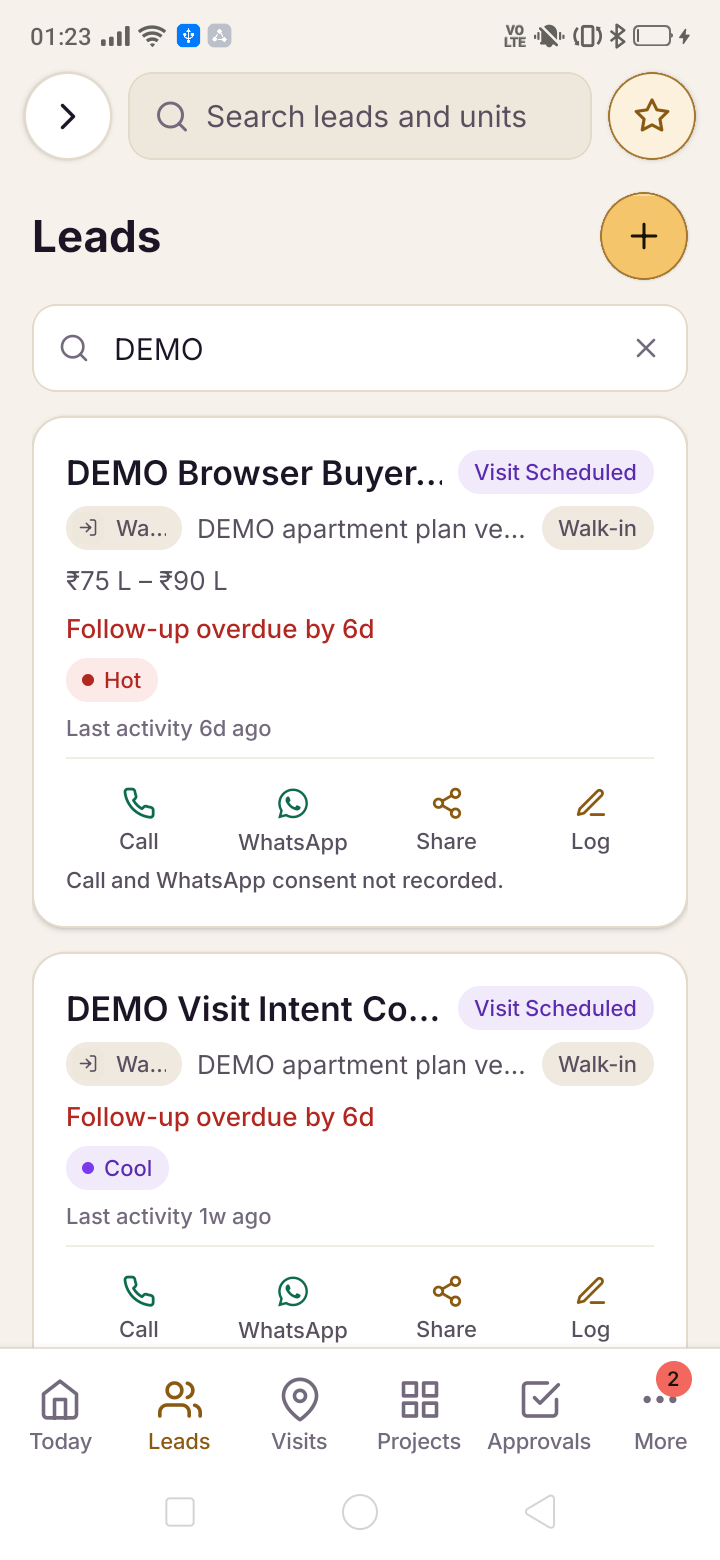
    Calls due, new leads overnight, site visits scheduled and follow-ups that have aged — one queue, ordered by what actually needs doing, rather than a dashboard the broker has to interpret.

  2. 02

    On a call: the banner

    A buyer rings and the banner names them before the second ring, with project, budget, stage and last note. On Android this works with the app closed, because it rides the operating system.

  3. 03

    At the gate: check in

    One tap captures a GPS pin, timestamp and photo. In a basement with no bars it queues locally and syncs when signal returns, so nothing depends on coverage at a construction site.

  4. 04

    In the car: quote and send

    Generate a full cost sheet for the exact unit — floor rise, PLC, GST, stamp duty, payment schedule — and send the branded PDF on WhatsApp before the buyer has reached the highway.

Why "mobile companion app" is the wrong architecture for this industry

Most CRMs are desktop products with a phone app attached. You can view leads, maybe add a note, and anything real sends you back to a laptop. For a software sales team that is fine, because they sit at desks. For a property team it is a design mismatch that quietly guarantees the CRM will be updated in a batch on Friday evening, from memory.

SaudaFlow inverts it. The phone build carries the full feature set — pipeline, WhatsApp inbox, call logging, site visits, cost sheets, inventory, brokerage, attendance, payslips and dashboards — because the moment a broker has to say "I will update it when I get back", the data is already degraded.

The practical test is whether a manager can run their week without opening a laptop. On SaudaFlow they can: the evening MIS block, the historical dashboards and the approval queues are all in the handset build. That is what 47 native features actually buys.

  • Full pipeline with kanban, list and cluster views
  • Cost sheets generated and shared from the phone
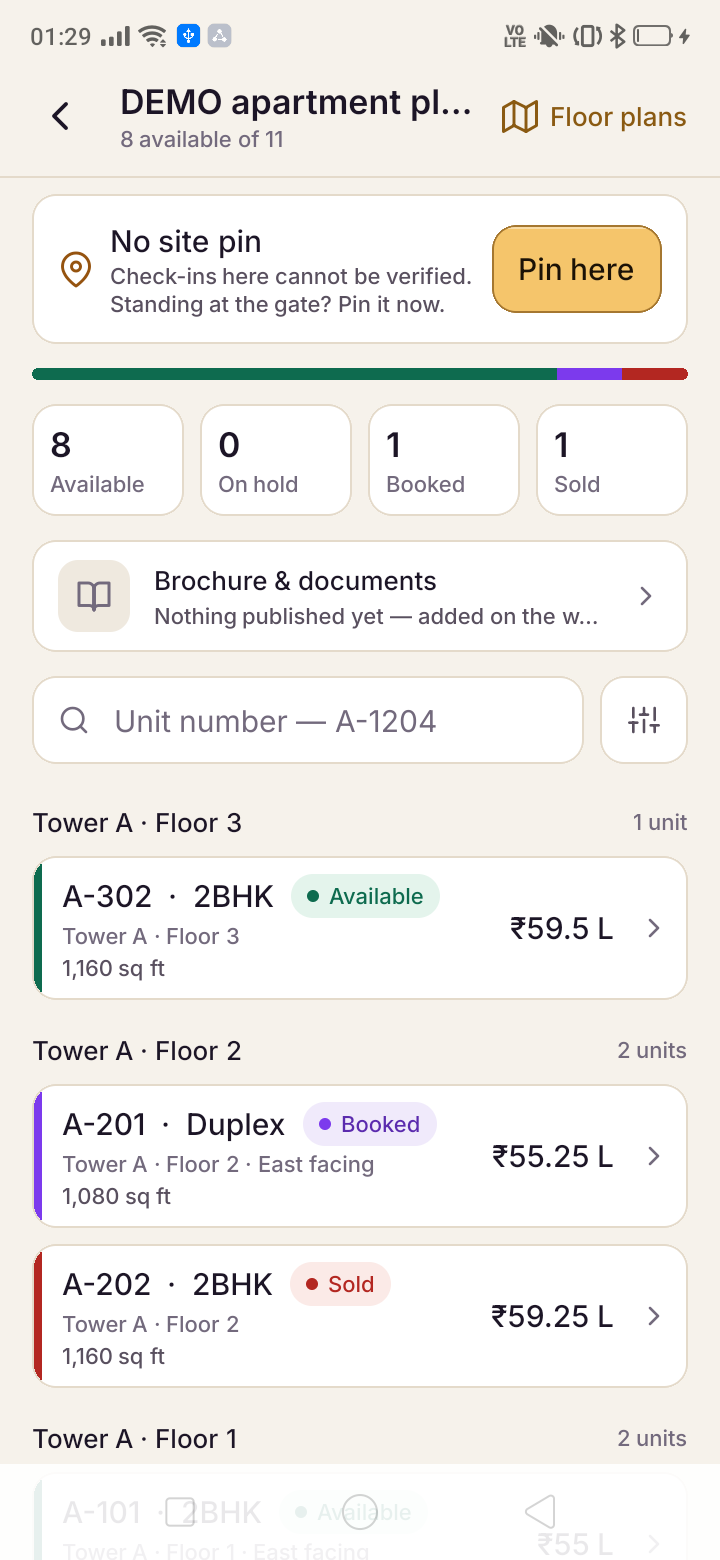
  • Inventory, brokerage ledger and earnings on the handset
  • Dashboards and the evening MIS, not just a lead list

Offline-first, because Indian sites have no coverage

Basement parking in a completed tower. The eleventh floor of a structure with no windows yet. A township site forty minutes past the last reliable cell tower. These are not edge cases in Indian real estate — they are where a large share of the working day happens.

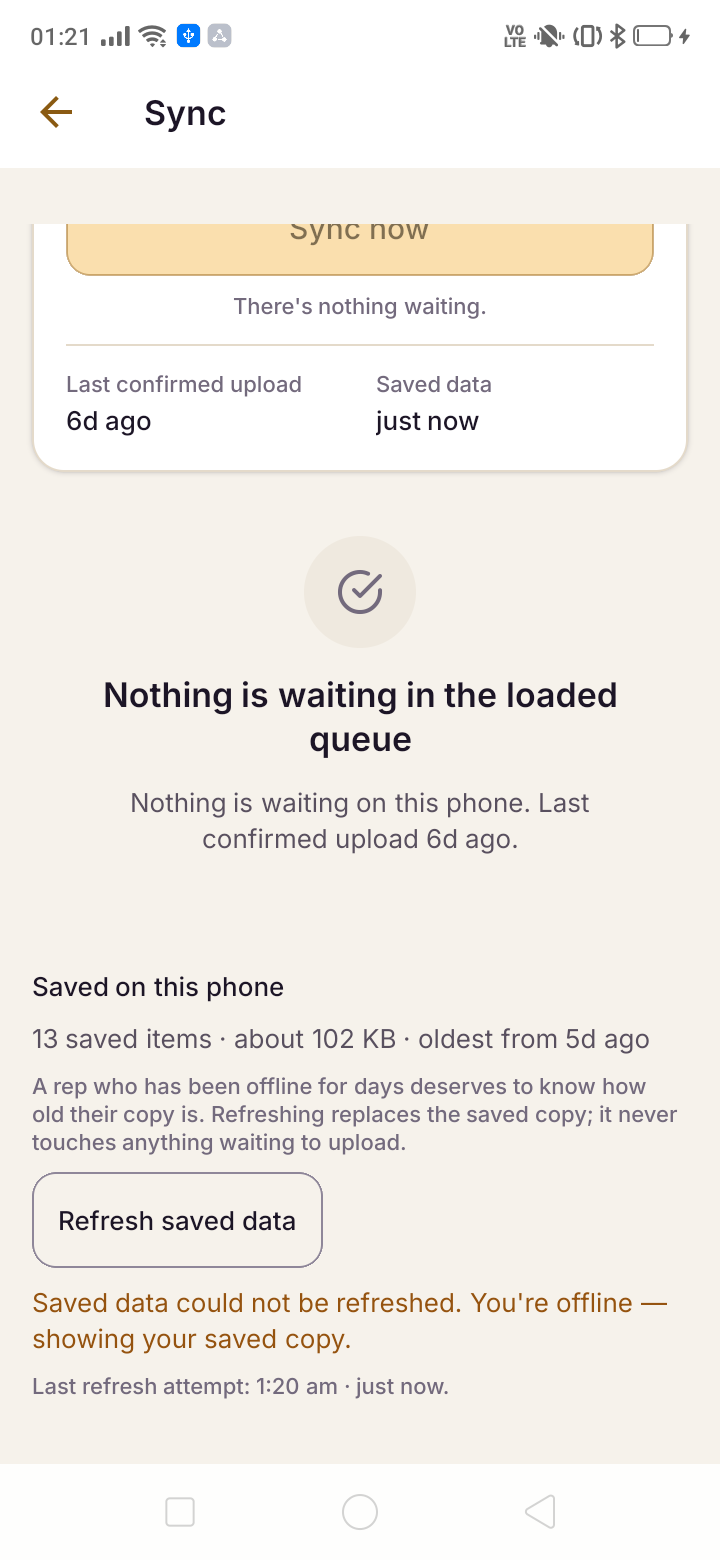
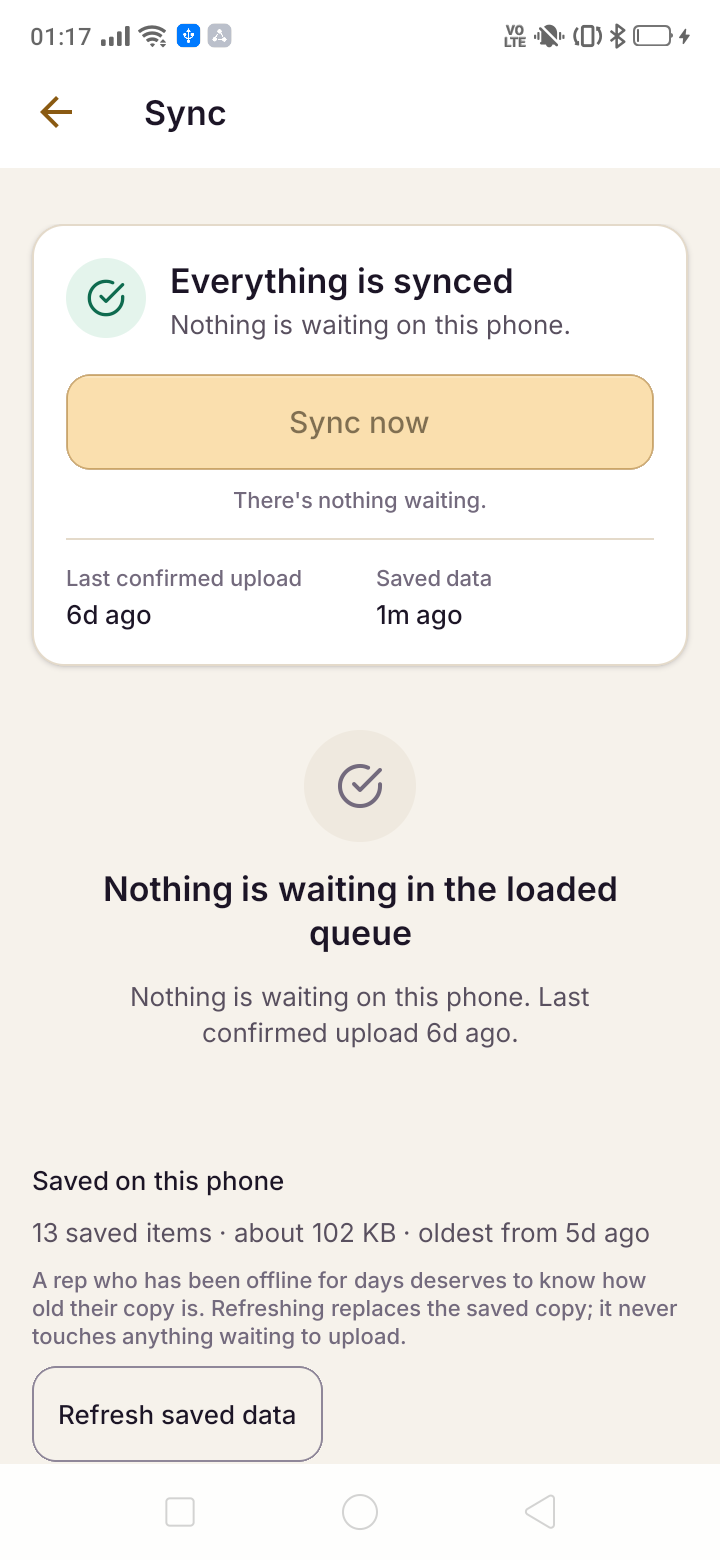
The app is built offline-first rather than offline-tolerant. Actions taken with no signal are captured locally and synced when connectivity returns: a site-visit check-in with its GPS pin and photo, a lead created from a walk-in, a call disposition, a stage change, a cost sheet generated from the cached rate card. The broker is never blocked and never has to remember to redo something.

Sync is conflict-aware, so two people editing the same lead from different places does not silently lose one of the edits. And cold start is held under two and a half seconds at the ninety-fifth percentile on mid-range Android, because an app that takes eight seconds to open is an app that gets opened less.

Android and iPhone, and the difference we will not paper over

The Android build is the full-capability one. Caller ID appears at ring time even with the app killed, call logs sync automatically in the background, and the OS-level integration is what makes the whole call-tracking story work. Most Indian field sales teams carry Android, which is why the investment went there first.

On iPhone, Apple does not expose the call log to third-party applications. There is no entitlement, no enterprise workaround and no roadmap item that changes this — it is an operating system decision. iPhone users get click-to-call, CallKit attribution for calls placed from the app, and a one-tap manual log with disposition. Everything else in the product behaves identically.

We state this on the mobile page, the caller ID page and in the FAQ because it is the single most common way CRM vendors in this category mislead buyers, and because a broker finds out on day two regardless. The usual working arrangement is Android in the field and iPhone at management level, where reporting matters more than ring-time identification.

  • Android: caller ID app-closed, automatic call log sync
  • iPhone: click-to-call, CallKit attribution, one-tap manual log
  • Everything else — pipeline, WhatsApp, visits, cost sheets — identical
  • No claim of call-log parity on iOS, ever

Installed straight from Mumbai, encrypted on the device

The Android build is distributed as an APK served from our own Mumbai infrastructure rather than through a third-party CDN, so the bytes your team installs come from the same jurisdiction their data lives in. Android will ask once whether to allow the install; that prompt appears for every application outside the Play Store and the download page walks through it.

On the device, cached data is encrypted at rest and the session is bound to the user, so a lost handset is a support call rather than a data breach. Access can be revoked centrally, and a departing broker's leads and WhatsApp threads reassign in one action rather than walking out in their pocket.

The same DPDP posture applies as everywhere else in the product: tenant isolation, Mumbai residency for application, database and file storage, and an audit row for every staff access to tenant data. Your pipeline being on a phone does not make it less protected.

Frequently asked questions

Is the mobile app a cut-down version of the web CRM?

No. 47 features run natively on the handset, including cost sheets, inventory, the brokerage ledger, attendance, payslips and the dashboards. The design test we hold ourselves to is whether a sales manager can run a full week without opening a laptop, and they can.

Does it work without internet?

Yes, offline-first. Site-visit check-ins with GPS and photo, new leads, call dispositions, stage changes and cost sheets all work with no signal and sync when connectivity returns. Basement parking and under-construction towers were the design case rather than an afterthought.

Is there an iPhone app?

Yes, with one honest gap. Apple does not expose call logs to third-party apps, so automatic call sync and ring-time caller ID for unsaved numbers are Android-only and always will be. iPhone gets click-to-call, CallKit attribution and one-tap manual logging; everything else in the product is identical.

How do I install it — is it on the Play Store?

The current Android build is distributed as an APK from our Mumbai server. Android asks once whether to allow the install, which it does for every app outside the Play Store, and the download page walks through the three steps. Your team signs in with the same account they use on the web.

Put it on your own phone before you decide.

On the demo we will install it on your handset, add you as a lead, and ring you so you see the caller ID banner arrive.

Real estate CRM mobile app for Android and iPhone · SaudaFlow