
The Android field app. Exactly what you are installing, before you install it.
One APK, 57.29 MiB, for Android 7.0 and newer. It is a test build we hand to teams working in the field — not a Play Store release — and it signs in to a Saudaflow workspace you already have. Review the file details, permissions and installation notes below. Android prompts can vary by device and organisation policy.
- 57.29 MiB · Android 7.0+
- 64-bit ARM phones
- Test build — not a Play release
- Needs a Saudaflow workspace
- Manual logging · optional Android call-log help
- Supported offline work queues visibly
The download
The Saudaflow field app for Android — installed by hand, from this page.
Saves as saudaflow-1.2.1.apk. Download from this page and compare the file fingerprint below. Resume support depends on your browser and connection.
- Size
- 57.29 MiB 60,076,978 bytes exactly
- Version
- 1.2.1 build 30 — measured from this installation file
- Package
- in.saudaflow.app
- Requires
- Android 7.0 or newer API level 24
- Chip
- 64-bit ARM only arm64-v8a — your phone or emulator must support this packaged architecture
- Signed with
- Saudaflow’s release certificate fingerprint 36E5 B861 001E 4301 … 77B6 7E9 · review your organisation’s installation policy
- Updates
- Compatible screen updates Screen and asset updates can arrive through the update service. Native code, permissions and a new app version require a new APK
- SHA-256
- e5f5bf816924a08712593b14d0174f5053b702fad7f019a265c6521919128458
Compare the downloaded file with the SHA-256 fingerprint above. A match confirms it is the listed file; it does not certify security or compatibility with your phone.
Three things that decide whether this is for you.
None of them is a surprise anyone should meet after a 57.29 MiB download on mobile data.
You need a Saudaflow workspace
You need an existing Saudaflow workspace and working account access. Complete the first sign-in while connected. Arrange workspace setup with the team and confirm the projects and data you need.
Android download; iPhone release unverified
An iPhone release has not been verified. You can use the web app for its available workflows. That does not establish native iPhone features or offline parity.
It is the field half of the CRM
The Android app includes contacts, deals, booking details, payment milestones, receipt and document information, selected record edits, company-call history and callback tasks. Eligible roles can view reports and the organisation's commission ledger; commission requires Professional or Custom. Booking creation, collection entry and reconciliation, commission payouts, partner administration and company-number setup still need the web app. Mobile action coverage is not yet complete.
Limits and setup to check
- Alerts depend on setup and permission. Optional foreground chimes and generic voice alerts start off. Device notifications need permission and a configured delivery service; a saved setting does not prove delivery.
- Check map availability. Check map availability on the installed build. Keep the project address and visit details available before heading to the site.
- Location evidence has limits. A location verdict needs an available GPS reading and a configured project pin. Missing location or a missing pin must remain unverified. Review accuracy and any flagged check-in; a recorded visit is not automatically location-verified.
- WhatsApp hand-off is not delivery. Opening WhatsApp does not prove a message was sent or received. Sending through the CRM depends on the workspace's provider setup and any required approved template.
- Commission access depends on role and plan. Eligible roles can read the organisation’s ledger on Android with Professional or Custom. Partner administration and the partner and buyer portals remain separate web workflows.
- Review unit availability before acting. Available inventory actions depend on your role and installed build. Confirm the latest unit state while connected; a saved view does not reserve a unit.
Permissions explained before you choose.
Review each permission when you use its feature. The corporate Android build can also offer optional call-log help; it remains off until you enable it and Android grants access.
Location, while the app is open
Saudaflow uses your location to verify site-visit check-ins.
When-in-use only. Background location is switched off in this build, so the app cannot ask for it and cannot follow you when it is closed.
Camera
…so you can attach a photo to a site-visit check-in as proof you were there.
Optional at every check-in. It does not ask for your photo library, only the camera at the moment you take the shot.
Microphone
Saudaflow records short voice notes you dictate on a lead, so you don't have to type them in the field.
Only while you hold the record button on a lead. A note recorded with no signal is kept on the phone and sent later.
Notifications
For available reminders and alerts. Device notifications require permission; remote delivery also needs the workspace's delivery service. A saved preference is not proof that a notification arrived.
Location, camera, microphone and notification permissions serve the features described above. Supported corporate builds can also request call-history access for the optional helper below. A declared permission or saved preference is not proof that device access or delivery works.
Optional call-log help, with your permission.
Call-log help is off until you enable it and Android grants access. Android's permission covers call history; Saudaflow limits this helper to finding an outgoing call to a known lead that you started from the app, within a two-hour window. You review the suggestion before saving. If access is unavailable or the match is unclear, use manual logging.
This helper does not import incoming calls, calls started outside Saudaflow or your personal call history. It does not read your contacts or record call audio. Caller ID for incoming calls is a separate, optional feature: with Phone, Call-log and “Display over other apps” permissions, the app shows the lead’s name over the ringing screen when the number belongs to a lead you may see. Nothing is uploaded from the call. Calls to a configured company number are handled separately through the calling provider.
Time away measures how long you were outside Saudaflow; it does not measure talk time. Keep it labelled as an estimate. Enter the talk time you can confirm, or review an available Android duration suggestion before saving. Neither an estimate nor a phone suggestion proves a provider connection.
Four example product screens.
These screens were captured on an Android phone in a private preview workspace with sample names, projects and figures. The public download remains build 30, so its screens may differ.
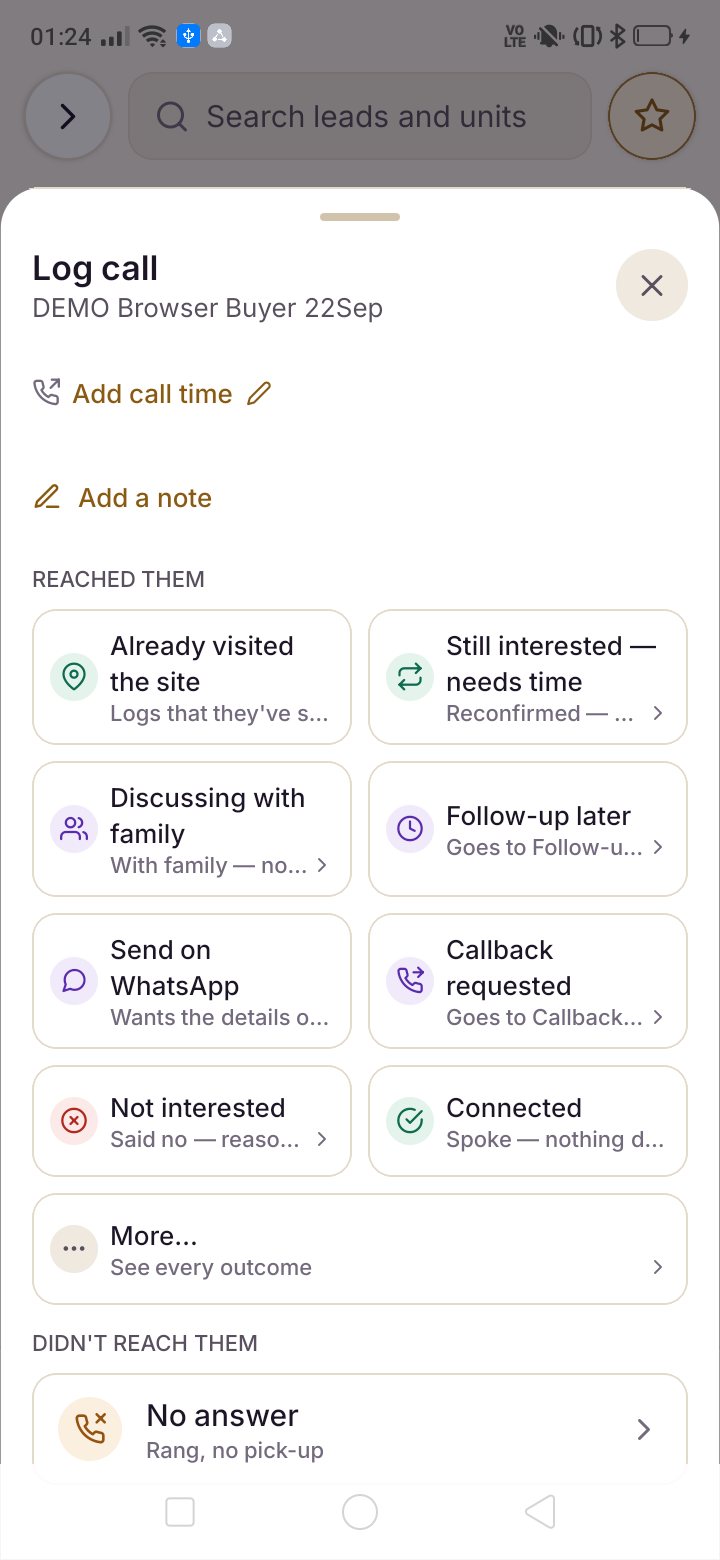
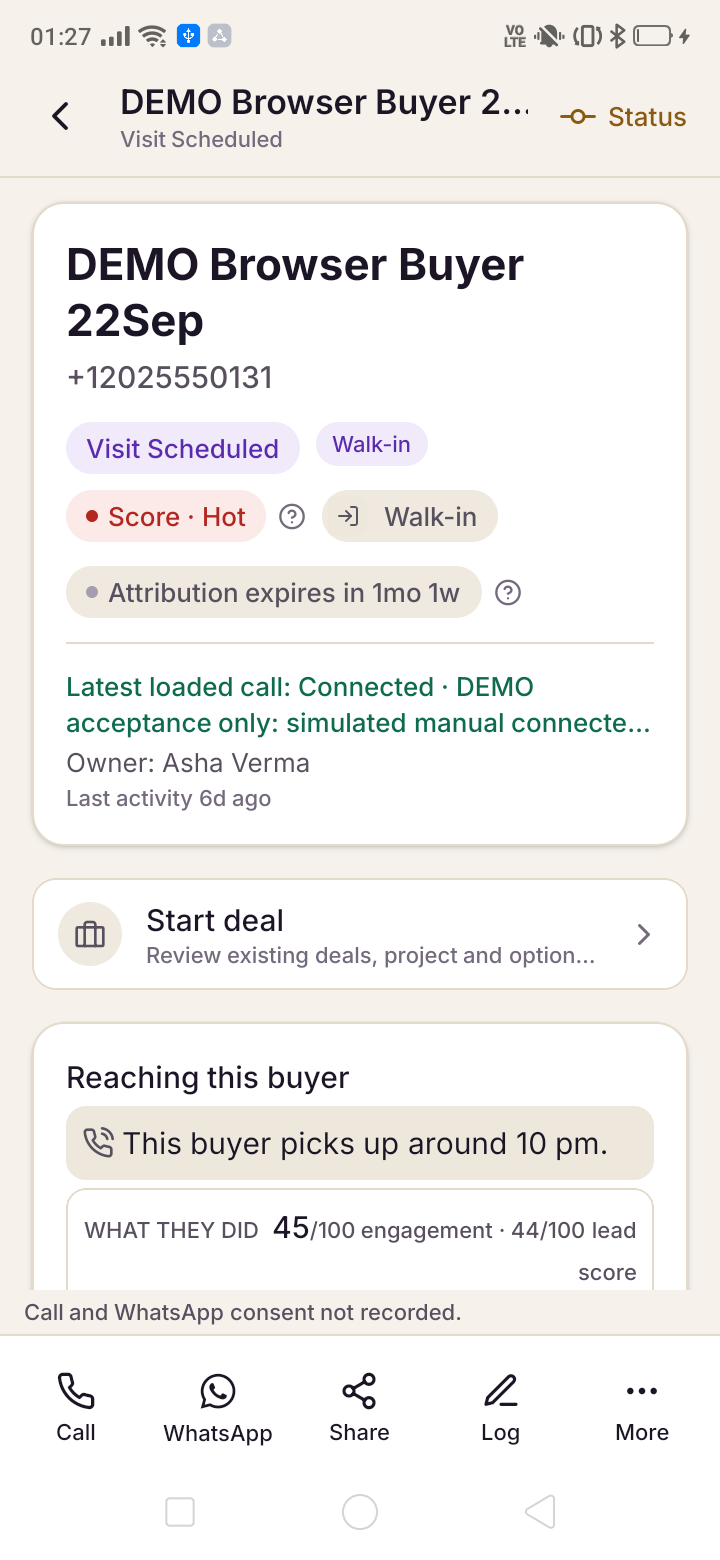
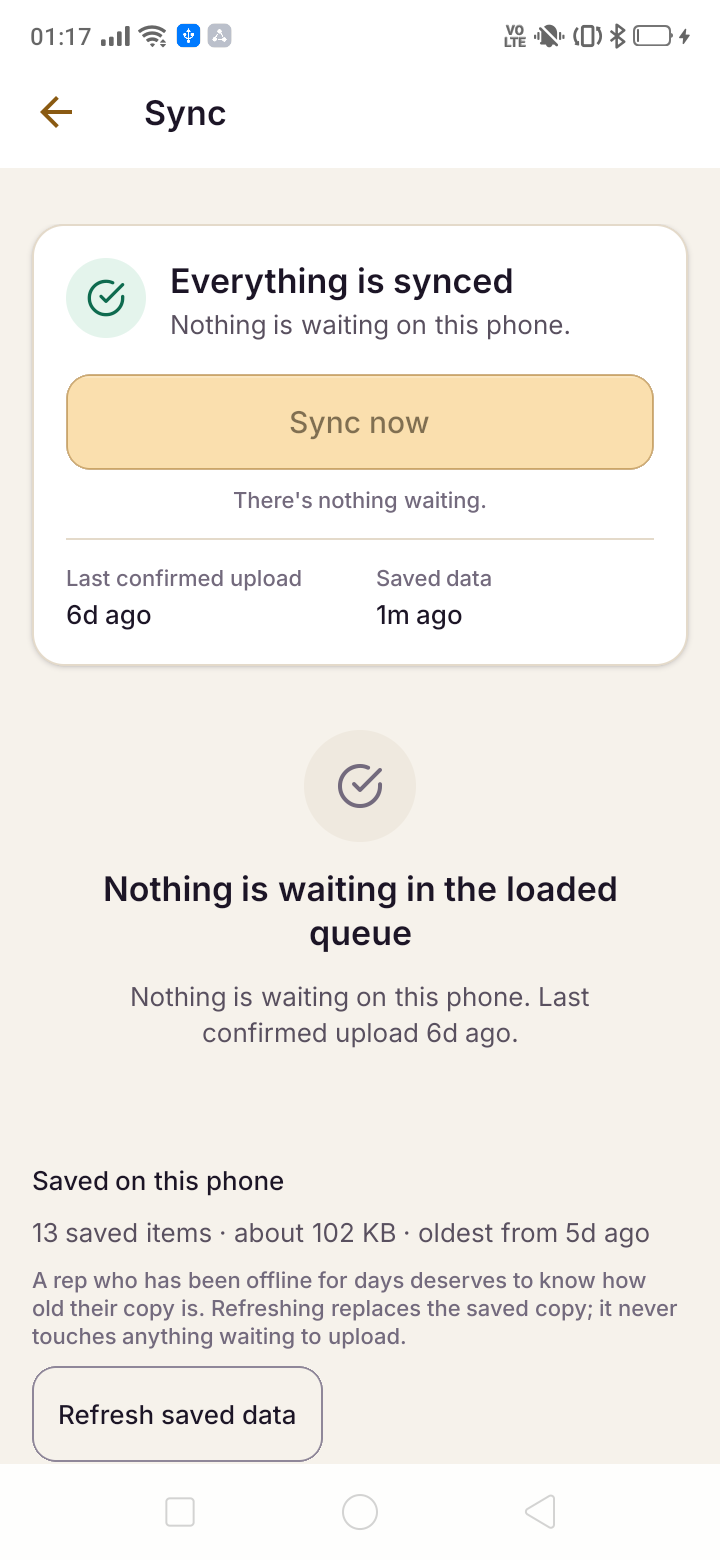
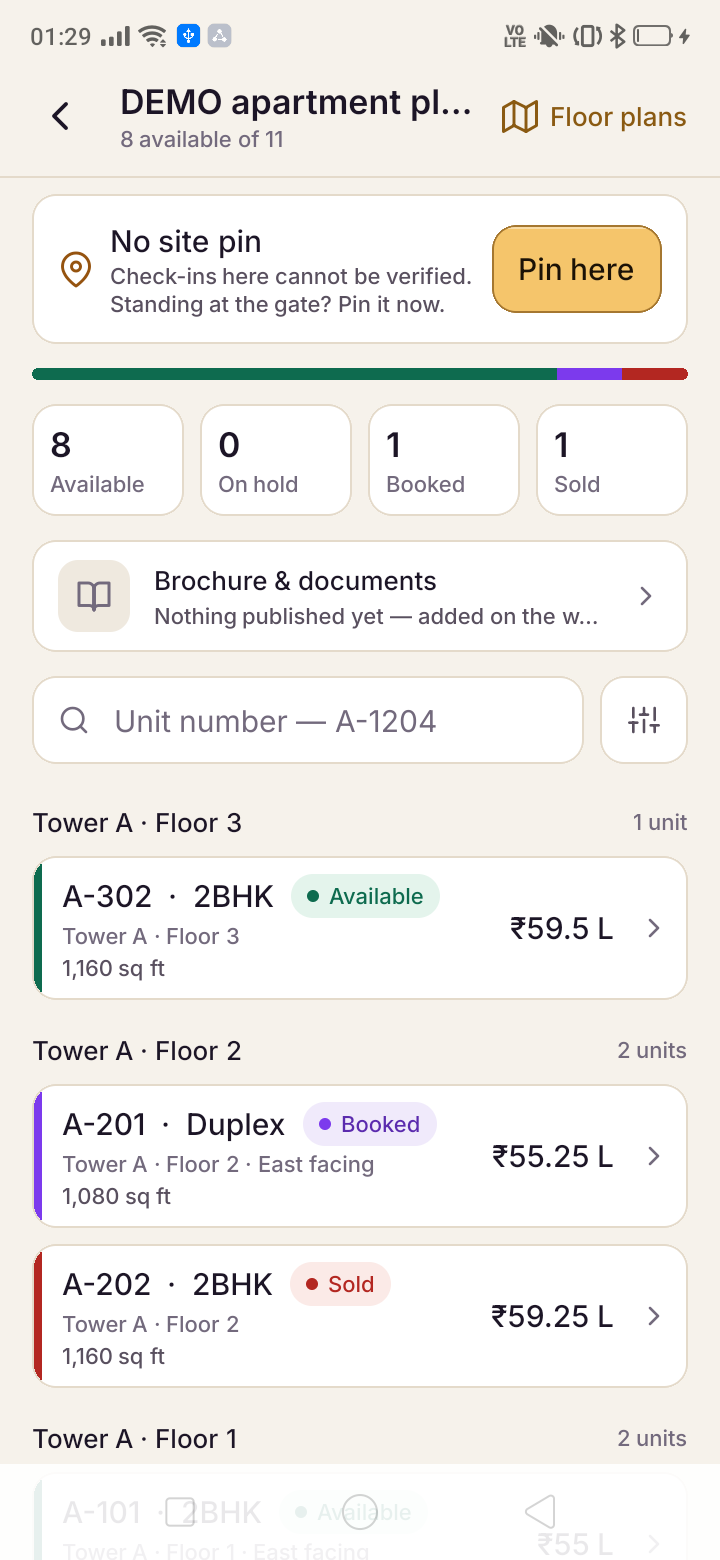
These dark-mode previews are examples, not a claim that every screen matches the latest APK. Check the current version and release notes for changed workflows and device requirements.
Install in three steps.
Read the file details first. Installation prompts vary by Android version, device and organisation policy.
Tap Download the APK
57.29 MiB, straight from our own server. Your browser will ask you to confirm a download of a file type it does not usually handle — that is the package installer, and it is the normal path for an app that did not come from a store.
Allow this one install
Android may ask whether to allow installation from the browser you used. Review any security warning and your organisation's device policy. Do not bypass a blocked installation without checking the reason.
Open it and sign in
Use your existing workspace account while connected. Review permissions when using the relevant feature. Manual call logging remains available without call-history access; features that need a declined permission may be unavailable.
Is this on the Google Play Store?
This direct download is a test build, not a Google Play release. Check the file details and signing information before installing. No Play release date is promised.
Will it run on my phone?
Check this download's listed Android version and processor requirements before installing. An emulator or device must support the packaged architecture; this page does not guarantee compatibility with every device.
Why does Android say it is unsafe?
Android may warn when an app is installed outside Google Play. Review your organisation's installation policy and the file's signing information. Compare the SHA-256 on this page with the downloaded file. A matching fingerprint confirms the file matches this release; it is not a security certification.
Can I use it on an iPhone?
An iPhone release has not been verified. You can use the web app for its available workflows. That does not establish native iPhone features or offline parity.
Do I need a Saudaflow account first?
You need an existing Saudaflow workspace and working account access. Complete your first sign-in while connected. If you need a workspace, arrange setup with the team; setup time depends on your projects and data.
Does it read my call log or my contacts?
Call-log help is off until you enable it and Android grants access. Android's permission covers call history; Saudaflow limits this helper to finding an outgoing call to a known lead that you started from the app, within a two-hour window. You review the suggestion before saving. If access is unavailable or the match is unclear, use manual logging. This helper does not import incoming calls, calls started outside Saudaflow or your personal call history. It does not read your contacts or record call audio. Caller ID for incoming calls is a separate, optional feature: with Phone, Call-log and “Display over other apps” permissions, the app shows the lead’s name over the ringing screen when the number belongs to a lead you may see. Nothing is uploaded from the call. Calls to a configured company number are handled separately through the calling provider. Time away measures how long you were outside Saudaflow; it does not measure talk time. Keep it labelled as an estimate. Enter the talk time you can confirm, or review an available Android duration suggestion before saving. Neither an estimate nor a phone suggestion proves a provider connection.
Does it work without signal?
Yes — that is most of the reason it exists as an installed app rather than a website. In basement parking or on a site with no bars, the day you already loaded stays readable, and call outcomes, visit check-ins, feedback and voice notes queue on the phone. A banner tells you how many are waiting and how old the saved copy is.
The queue sends itself the moment signal returns. If the record changed on the server while you were away, the clash is flagged for you to decide — nothing is overwritten silently, in either direction.
How do I get the next version?
Compatible screen and asset updates can arrive through the app's update service. Native code, permissions and a new app version require a new APK. Call-log help requires a build that includes the native helper; a screen update cannot add it. Check the download page and release notes before updating. A changed signing certificate can prevent installation over an older build. Follow the release instructions and sync or recover pending work before uninstalling; uninstalling clears local app data.
The app is the field half. The workspace is the product.
Arrange your workspace, projects and team access before installing. Use the demonstration to check the field workflows your team needs.
Review the available workflows, permissions and plan before choosing your workspace.